


DIRECTV: TV & Movie Streaming
4.627.30K Reviews
App Specs
- Version
- Varies with Device
- Updated On
- License
- Free
- Downloads
- 10,000,000+
- Developer
- DIRECTV, LLC
- Categories
- Entertainment
- Platform
- Android, iOS
Screenshots

 Analysis by AppCompare
Ever found yourself scrolling endlessly through streaming platforms, unable to find something that catches your fancy? Well, let me introduce you to DIRECTV: TV & Movie Streaming, where variety isn’t just a promise—it's a lifestyle. If you're anything like me, you’ve probably spent a few too many nights clicking through aimlessly, and this app might just be the cure for that particular brand of indecision.
Before You Settle In
I’d start by deciding what you want from the app that evening: a live channel to put on in the background, a film to focus on, or a series to pick up when you have more time. That small choice makes browsing feel less like an open-ended hunt. My practical tip is to use the live-TV side when you want something immediate, then move to movies or series when you’re ready to choose deliberately. They serve different moods, and treating them as separate starting points can save time.
The app is free to install, and DIRECTV, LLC is the developer. Its Teen age rating is worth keeping in mind if you are choosing something for a younger viewer: an age rating is a broad guide, not a substitute for checking a particular title yourself. I’d make that check before handing over a device, especially when browsing across a mix of live programming and on-demand entertainment.
Where Browsing Can Become Friction
A large catalog is useful only if you can narrow it down. With many channels and types of viewing in one entertainment app, indecision can still creep in, particularly when you open it without a particular show or genre in mind. I find it more helpful to arrive with one simple question—“Do I want live TV, a movie, or a series?”—than to expect recommendations to do all the choosing for me.
There is also a practical distinction between free access and a completely cost-free experience. The app includes free live channels through MyFree DIRECTV, while in-app purchases are listed from $4.99 to $82.99 per item. I would check what an item costs before confirming any purchase rather than assuming every title or viewing option is included simply because the app itself is free.
Your Entertainment Hub
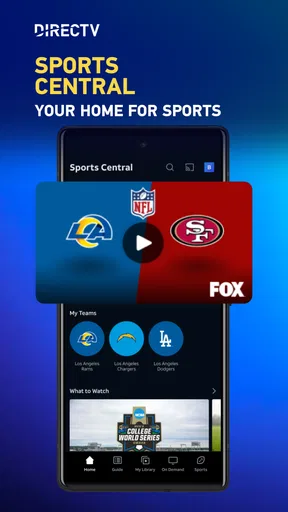
Alright, let’s dive into the nitty-gritty. DIRECTV: TV & Movie Streaming brings a vast array of content to your fingertips. From live sports to the latest blockbusters and binge-worthy series, it’s like having a mini cinema in your pocket. The interface is pretty sleek, and navigating through the app is smoother than a fresh jar of Skippy. You won’t need a map to find your way around, which is always a win in my book.
Content Galore
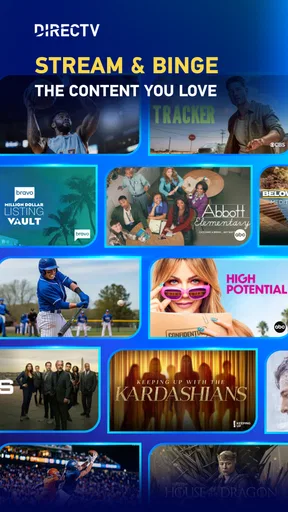
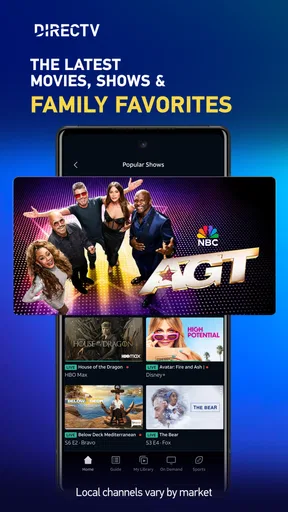
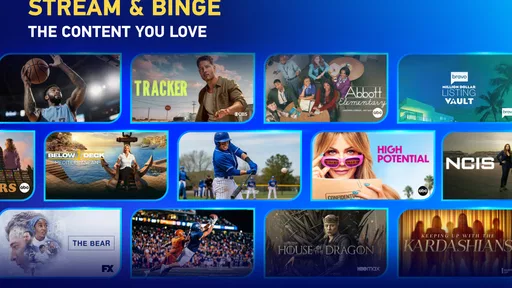
One of the standout features is the sheer volume of content. We’re talking thousands of options, including live TV channels and on-demand movies. It’s like having a VIP pass to all the best shows and films. What I love most is how personalized it feels. The app’s recommendation system is spot-on, suggesting titles you might actually want to watch based on your viewing habits. It’s like it reads my mind—but in a non-creepy way, of course.
Worth Reading Before You Choose

EA SPORTS FC Mobile 26 Is a Bigger Football Game, but It Takes Time

Flipboard Shows What News Apps Must Do Beyond the Feed

Switching to Android Auto Means Rethinking Your Driving Routine

Google Calendar Makes a Crowded Week Easier to Manage

Ludo King Makes the Most of the Minutes Between Plans

Baby Panda World Brings Quick Play to Modern Phones, but Its Game Library Feels Busy
For an everyday example, I’d use the live side when I want to put something on without committing to a particular film, such as while making dinner. Later, when I can give the screen my attention, I’d browse for a movie or series. That split is one of the more useful ways to approach a service that combines live viewing with on-demand choices: it makes the app relevant both when I want company in the background and when I’m settling down to watch.
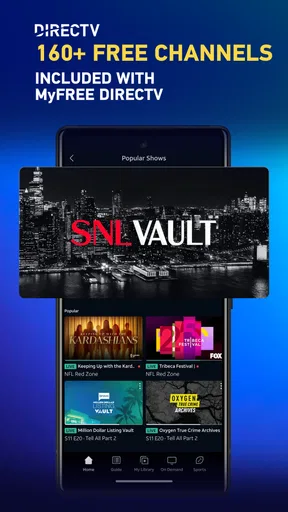
MyFree DIRECTV is described as offering more than 150 free live channels, which gives the app a clear role even if I’m not looking to make a purchase. Still, a channel lineup and an on-demand catalog are different things: I would not assume that a particular film or series is included just because I can watch free live programming. Checking the item before pressing play or purchase is the sensible habit, especially when moving between different parts of the app.
The Streaming Experience
Now, let’s talk about streaming quality. Because let’s face it, no one wants to watch a movie that's buffering every two minutes. With DIRECTV: TV & Movie Streaming, you get high-quality streams that adapt to your internet speed. Whether you’re on Wi-Fi or using data, the app adjusts to give you the best possible picture quality. It’s like magic; you get to enjoy your shows without those annoying interruptions.
If a stream stalls, I’d first try the straightforward checks rather than immediately blaming the app: confirm that the device is connected to the internet, see whether other online activity is working, and give the stream a fresh start. If video works on Wi-Fi but struggles on mobile data, that points toward the connection or its conditions as a more likely source of trouble. When possible, switching to a steadier connection is a useful test; it also helps distinguish a temporary network hiccup from a problem that follows the app across connections.
Live viewing and on-demand viewing can feel different in a practical way. When I’m watching live, I want to get to the channel promptly and avoid repeatedly backing out or restarting. For a film or series, I’m more likely to pause and resume around other tasks. If one type of viewing works while another does not, I would test each separately before changing settings or reinstalling anything. That simple comparison can help identify whether the issue is tied to a particular stream or to the device’s general connection.
User-Friendly Features
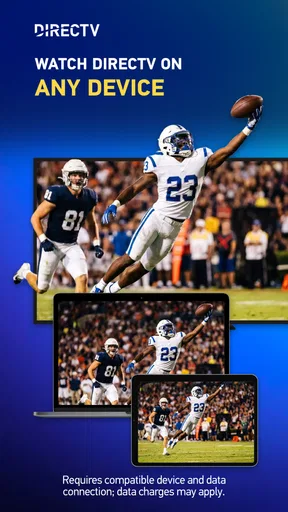
What’s also pretty cool are the handy features sprinkled throughout the app. Picture-in-picture mode, for instance, lets you watch your favorite show while checking your email or browsing the web. Multitasking at its finest, right? Plus, the app supports multiple devices, so you can start a movie on your phone and finish it on your tablet or TV. It’s all about convenience, and they seem to nail it here.
For a less obvious but useful workflow, I’d choose the device based on the situation instead of treating every screen as interchangeable. A phone is handy when I’m moving around the home; a larger screen makes more sense when I’m ready to settle in. If playback gets interrupted during that handoff, I’d check that the second device is connected and reopen the app there before assuming the title itself is unavailable. Switching screens is convenient, but it still depends on the devices and connection being ready when I am.
Picture-in-picture is most valuable for short stretches when I need to check something else without losing sight of a live program. It is less useful when I want to focus on a film, or when the smaller window makes the action hard to follow. I’d treat it as a convenience for casual viewing rather than a reason to multitask through every show. The feature works best when the main screen remains the priority and the other task is genuinely brief.
Parental Controls
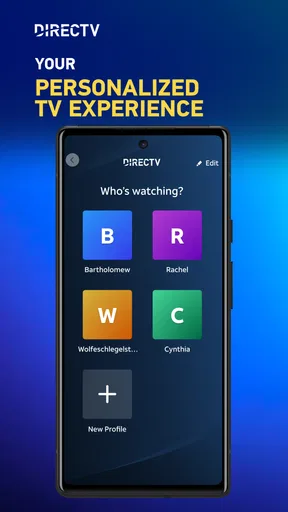
If you’ve got kids, you’ll appreciate the parental controls. You can set up profiles for your little ones, ensuring they only access age-appropriate content. It’s super reassuring to have that level of control, especially with so much content available.
For families, I’d make the profile and viewing choices part of the initial setup instead of waiting until a child is already browsing. I’d also review what is being opened together, since an age label alone cannot tell you whether a particular program suits your household. This makes the controls a useful layer of guidance, not a reason to stop paying attention. If you share a device, taking a moment to confirm which profile is active can also prevent a child from continuing in an adult’s viewing space.
Offline Viewing
Another feature that’s saved me during many a long commute is offline viewing. You can download shows and movies to watch later, no Wi-Fi required. It’s a lifesaver for those moments when you’re off the grid but still want your entertainment fix.
For travel, I’d plan ahead rather than wait until a connection becomes unreliable: choose something while online and check that it is ready before leaving. That is a useful workflow for a commute or a trip through areas with patchy service. I would not rely on offline viewing as a way to avoid checking availability or purchase details, though; the practical point is simply to prepare a suitable title in advance and confirm that it is accessible when I need it.
Subscription Plans
Now, let’s chat about subscription options. DIRECTV: TV & Movie Streaming offers several plans, so you can choose what fits your budget and needs. Whether you’re a casual viewer or a hardcore TV aficionado, there’s a plan for you. And they often have promotions, so keep an eye out for those sweet deals.
Because costs can vary by item, I’d separate the decision to install the app from the decision to spend money inside it. The app is free, and its free live-channel offering may be enough for someone who mainly wants casual viewing. Someone expecting a particular paid title or a broader paid arrangement should check the current options and costs in the app before committing. In-app purchases range from $4.99 to $82.99 per item, so it is especially sensible to read the purchase screen carefully and consider whether the choice suits how often you expect to watch.
Compared with using separate apps for live channels and on-demand entertainment, the main appeal here is having both kinds of viewing within one place. That is convenient when I want to switch from a live program to a film without changing my general destination. The trade-off is that a combined catalog can still require some browsing, and it may not be the best fit if I only want one specific channel, one particular title, or a service whose selection I already know better. I’d choose based on what I actually watch, rather than assuming one app will replace every other option.
When a Playback Problem Is Elsewhere
If the app opens but a show will not play, I would work through the simplest checks in order: confirm the connection, close and reopen the app, and try a different piece of content. If only one item is affected, that is a different clue from a failure across everything. If all viewing is affected, checking the device’s general internet access and restarting it can help rule out a broader problem. I would avoid making several changes at once, because then it is harder to tell which step actually helped.
Not every delay is an app problem. A weak or busy connection can interfere with streaming, and a device that is having trouble with other online tasks may struggle here too. Conversely, if other services work normally and DIRECTV remains affected after a fresh start, it makes sense to revisit the app itself or seek help through the appropriate support channel. The useful takeaway is to compare conditions before deciding what has failed.
Who I’d Recommend It To
I can see this working well for someone who enjoys having live television available but also wants movies and series in the same entertainment app. It is a sensible option for casual viewers who value choice and do not mind browsing, and for people who want a free starting point through the live channels. The app has a 4.6 average from around 127,000 ratings and more than 10 million installs, which suggests it has reached a broad audience, though those numbers cannot tell me whether its particular mix suits an individual viewer.
I’d be more cautious if you want a narrowly defined catalog, dislike navigating a range of choices, or are looking for a guaranteed specific title without checking whether it is available on the terms you expect. It may also be a poor match if your connection is unreliable and you mainly want uninterrupted live viewing. A different specialist app can be the better choice when its focused selection aligns more closely with what you watch every week.
For a new user, I’d keep the first session simple: open the app, try a free live channel, then browse on-demand choices only if that is what you came for. Before making a purchase, check the price shown for that item; before sharing the app with a child, make the age and profile choices deliberately; before travelling, prepare any offline viewing while you still have a connection. These small habits address the most common points of confusion without turning setup into a project.
DIRECTV: TV & Movie Streaming is an entertainment app for Teen audiences, released on November 30, 2016. It has 27,000 reviews, and I see its strongest case in the combination of free live viewing with other entertainment options, rather than in any promise that every person will find every title they want. The best way to judge it is to try the kind of viewing you actually need and pay attention to the difference between free access and in-app purchases.
In conclusion, if you’re looking for a one-stop-shop for all your entertainment needs, DIRECTV: TV & Movie Streaming has got you covered. It’s convenient, user-friendly, and packed with features that make it a standout choice in the crowded world of streaming apps. So go ahead, give it a whirl, and say goodbye to those endless scrolling nights. Trust me, your inner couch potato will thank you.
Pros
- Wide range of live TV channels available.
- User-friendly interface with easy navigation.
- High-quality streaming with minimal buffering.
- Option to download content for offline viewing.
- Compatible with multiple devices.
Cons
- Subscription cost may be high for some users.
- Limited international content selection.
- Requires stable internet for smooth streaming.
- Occasional app crashes reported by users.
- Some features locked behind higher tiers.
FAQs for DIRECTV: TV & Movie Streaming
What devices are compatible with DIRECTV: TV & Movie Streaming?
DIRECTV: TV & Movie Streaming is compatible with a wide range of devices, including Android and iOS smartphones and tablets, smart TVs, streaming devices like Roku and Amazon Fire TV, as well as gaming consoles such as Xbox. Make sure your device's operating system is up-to-date to ensure optimal performance.
Is an internet connection required to use DIRECTV: TV & Movie Streaming?
Yes, a stable internet connection is essential for streaming content on DIRECTV. While you can download certain shows and movies for offline viewing, streaming requires a consistent internet connection to ensure smooth playback without interruptions or buffering issues.
What content is available on DIRECTV: TV & Movie Streaming?
DIRECTV offers a vast library of content, including live TV channels, on-demand movies, and TV shows across various genres. Subscribers can access sports, news, entertainment, and exclusive original programming. Content availability may vary based on your subscription plan and geographical location.
Are there parental controls available in the DIRECTV app?
Yes, DIRECTV provides robust parental control features that allow you to restrict access to certain content based on ratings or channel types. You can set up PIN protection to ensure that children can only watch age-appropriate content, giving parents peace of mind while using the service.
How does the subscription and billing work for DIRECTV: TV & Movie Streaming?
DIRECTV offers various subscription plans that cater to different viewing preferences. Billing is typically on a monthly cycle, and you can manage your subscription directly through the app. Be sure to review the terms and any promotional offers as they may impact your billing cycle and overall cost.


